hits counter
Showing posts with label ebooks. Show all posts

Sunday, December 13, 2009

Electronic wish list

The other day, I was sitting on the couch watching TV and juggling several nearly identical-looking devices – a cordless landline phone, a cable/TV remote, a Blu-ray remote, and a PDA phone.  As I sat there, trying to change channels with my phone and answer the remote, I wondered whatever became of convergence.

For instance, why has no one invented a cordless landline with an IR radio?  Or a multi-device remote with a built-in phone?  I’d buy a combo cordless phone/multi-remote in a heartbeat.

Come to think of it, why don’t a lot of things do more, especially when they have the computing capability?  Here are a few things I’d like to see improved/invented fast:

A cordless smartphone. I know landline connections are decreasing, but there are still millions who would jump at a base-station (maybe with a built-in modem and router) that came with cordless phones that had wi-fi-enabled iTouch-like capabilities.

A 21st century clock radio.  I don’t need a clock radio anymore – my PDA phone, which charges next to my bed, tells time, sounds alarms, and plays music and radio just fine.  But, if someone invented something “smarter” with a screen, email/web access, wi-fi, streaming media, and a landline phone, I’d buy it tomorrow.

Video books.  I love the way ebooks turn into audio books at the press of a button.  Now give me video books, depicting scenes from the book, when I press a button. (Think how much more interesting textbooks would become…)

A smarter car.  Cars can call for help, tune themselves, and track GPS data automatically, so why can’t they download/read my email aloud, recommend stops I should make based on my to-do list, make their own service appointments, register themselves, talk to Napster, and download trip data to my desktop automatically?

More barcode-style scanning technologies.  At my supermarket, I can walk around with a device that scans the UPCs off products I put in my cart, allowing me to avoid check out lines.  Cool.  Now make it even easier, and let me scan using my phone’s camera.  And, coordinate it with my grocery list, so I know if I’ve forgotten anything.  Even better, integrate it with inventories of my cabinets and refrigerator.

Smart wallet.  I carry five cards in my wallet: Driver’s license, insurance card, Amex, debit card, and security key card.  (Sometimes I have a Metro SmartTrip card, too.)  All of these could easily merge into a single, programmable card, or, even better, encrypted data that sits on my PDA phone.

Web tablet reader.  The Crunchpad seems kaput – and the Apple Tablet may have been delayed again – but with the growing popularity of ebook readers and smartphones, how long will it be before someone brings out a magazine-sized multi-purpose device for reading, surfing, notetaking, and basic PIM functions?

Am I the only one who needs these devices?

Monday, November 10, 2008

Google reaches deal with publishers over ebooks

Spotted some good news in today's New York Times.  Turns out that Google was able to reach a deal with publishers over including out-of-print/in copyright books in Google Book Search.  This will open the door to a treasure trove of information being unlocked in these hard-to-find books.  Awesome!  Read Google's news release about the deal here.

The Times also noted that several major publishers, including Penguin, are looking at new ebook models, including monthly subscriptions that would allow electronic access to best sellers.  Sounds a little like Netflix for books.

The article also notes that while traditional book sales are falling, ebook sales are up 55% over the last year.  It suggests, probably accurately, that Amazon's Kindle and Sony's Reader are responsible for at least part of this increase.

Despite this, my bet is that tying texts to a specific device or platform won't prove a sustainable model.  Ultimately, the device -- whether it's a Kindle, Reader, mobile phone, iPod, laptop, or whatever -- is merely a storage tool and viewer.  Users are going to want to be able to move their data to wherever it suits them, just as they do with music. 

The faster the publishers and ebook vendors realize that the same unfettered access that has made digital music work applies to texts, the faster the ebook market will grow.

Sunday, October 12, 2008

eBooks through Publishers

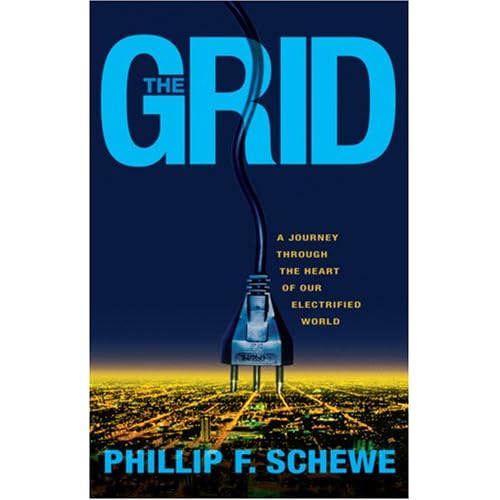
The other day, a colleague recommended the book The Grid: A Journey through the Heart of Our Electrified Land, by Phillip F. Schewe, so I decided to check it out. Not finding it on eReader or Mobipocket, I looked on Amazon to see if it was available as a Kindle book. (I don't have a Kindle, but availability for Kindle often indicates that an ebook is available somewhere.) But, no luck there, either.


Just out of curiosity, I decided I'd take a quick look at the publisher's website. Paydirt! Turns out Joseph Henry Press is an imprint of the National Academy of Sciences, which makes PDF etexts of its stock available online. They even offer "bundled" prices, where you can get an ebook and the hardback at a discount rate.


Congratulation, Joseph Henry, you're now my official favorite publisher!


(I wish they hadn't put website headers and other identifying footers on the texts -- makes them a big PITA to read.
I ended up pulling the PDF into Omnipage and deleting all that (although with page numbers), so I could have a clean text to read in eReader or Mobi.)


This is the third time recently that I've found ebooks through their original publishers, rather than through the usual channels.I commend the publishers on their vision for this -- it's a good way to avoid going the way of music publishers
.

Sunday, October 5, 2008

DIY Ebooks, Part 3: Clean Up

The cool thing about scanning text pages is that it frees text from the confines of the page. You can take the raw text and use it the way you want -- convert it to ebooks or other platforms for reading, index it for future reference, or even grab long passages for citations.


But, there is one complication that's easy to overlook in the initial rush of utility: Individual pages provide a fundamental organizational unit for books. References are organized by page -- lose the page and the text of the original index is useless. Footnotes sit relative to text on paper pages. Even endnotes sometimes reference the page of their citation.


Not only that, pages contain lots of information the eye can easily filter out, but scanners and OCR software doesn't.


I don't have a perfect method for handling these issues -- yet -- but I can offer some advice about how to work around them.


Before OCRing:


1. Make a copy of all image files before you start editing, in case you must up or decide to try something else in the future.


2. Remove page numbers, headers, and footers -- Although OmniPage OCR software can you templates that ignore information on certain parts of each page, I've never had much luck using this, since my scans aren't always uniform in size and position. Instead, I remove this stuff using PaperPort, either erasing or deleting it page-by-page. Sounds time-consuming, but actually goes very quickly.


3. Make a decision about footnotes -- Most times, I simply remove footnotes so they don't get OCR'd, but when I see citations I want to keep, I handle it post-OCR. (See below)


4. Check for cut-off text and embedded images -- I often remove stylized initial caps to make OCRing more accurate.


5. Straighten text -- It OCRs better. PaperPort can do a batch straighten on all pages.


6. Remove pictures -- I scan these separately as TIFFs and either OCR or retype captions later. (Most times, it's just as quick to retype captions.)


7. Dump the index (or at least remove page references) -- You won't need it anyway, since you can search by keyword with software.


After OCRing, with raw text in Word:


1. As with original images, I save the raw text before I start making changes to it, so I don't have to OCR the whole thing again, if I screw something up.


2. Remove stray line breaks -- I run a macro on the text that looks for every line break that is not immediately preceded by a period or other punctuation. This removes most stray line breaks.


3. Remove stray hyphens -- PaperPoint (and OmniPage) do a stellar job of deleting printed hyphens that are no longer needed in digitized text, but there are usually a few hanging around. I use a macro to find and delete these.


4. Break out chapters -- I put some extra space in front of each chapter heading, for formatting.


5. Deal with remaining footnotes -- If I've decided to keep a few footnotes, I search the text for them and re-insert them immediately following the paragraph that contains the citation. I typically insert extra line breaks between text and citations to create a break when I'm reading.


6. Save the file.


In eReader's eBook Studio:


1. Paste text into eBook Studio from Word.


2. Find chapter headers, bold them, and create links to the table of contents (automatically created by the software)


3. Decide about end notes. You can create hotlinks to end notes (or anything else) in eBook Studio, although I usually don't bother. It seems needlessly time-consuming to me, but it is possible for those who want it.


4. Place photos. Since I've already converted the photo TIFFs to PNGs (247px high by 147px wide max), I drag and drop the pictures wherever I want them and insert the appropriate captions. Embedding them in the appropriate positions in the text is nice, although it also can be time consuming to find the right reference/location. Instead, most of the time I just create a photo section chapter at the end of the ebook.


5. Press "make book" and you're done. Read it on your PC, laptop, or PDA phone.


And that's the whole process. Using macros -- and, if possible, OmniPage's masking capabilities -- can make the effort pretty simple. I would estimate that it takes me maybe an hour to do all these steps on a book of about 500 pages.


Key thing to keep in mind: As long as you have the original images, don't worry too much about the details on things like endnotes and footnotes. It's quicker to look those up in the original images (or the book itself) than it is to handle all that stuff in an ebook.


Thursday, October 2, 2008

DIY Ebooks, part 2

(Responding to the post below, Caroline asked a great question about ebook and scan formats. As I started to answer her, I realized that my answer was getting so long it probably makes a better blog post than comment response. So, Caroline, here goes:)

Trying to use ebooks (like reference books) as PDFs can be cumbersome, especially if the file is really large and not optimized for use as a book.

As an alternative, I turn the PDFs I create into .pdb files, which I can annotate and organize with chapter headings and photos. I can read these in either eReader or Mobipocket, both of which are free and available on multiple platforms, including Windows Mobile.

Here's my process:

1. Scan as PDFs -- Creates an image of the page for future use and reference.

2. OCR them and save as plain .txt files -- Gives me an open source copy of the book's text, which, like the PDFs, I should be able to use well into the future.

3. Edit/clean up as Word documents -- I work with this program all the time, so it's the easiest one for me to work with. I've also created several macros to help me clean up text after scanning.

4. Convert to .pdb -- These are easy to create (through the eReader book creator), inserts pictures well, and works with both eReader and Mobipocket.

5. For books with lots of pictures, such as biographies, I also save the photos as Tiffs. To insert these into a .pdb file, I have to convert them to PNGs first.

Mobipocket also offers an much more streamlined (and free) alternative to creating ebooks -- just drop-and-drag a PDF, Word doc, or other file onto the Mobipocket window, and it will convert itself to an ebook automatically. It's not as "clean" as an edited ebook, but it's a quick way to make a smaller ebook.

Wednesday, October 1, 2008

DIY Ebooks

As a voracious ebook reader, I have one big frustration: Although the availability of titles available through my favorite book stores, eReader and Mobipocket, is impressive -- and growing -- the stores still lack most out-of-print and "less popular" titles.

The other day, though, I found a great -- and free -- source for new ebooks: The public library. While my local does not have an ebook "lending" program as some systems do, they have shelves of what the do-it-yourself ebookmaker wants: Thousands of old books whose bindings are already broken, flexible, and easy to flatten for scanning. And, it's all free.


So, I've been taking matters into my own hands lately, by scanning some of the traditional books I've bought and never gotten around to reading -- and library books. Although it's a fairly time-consuming process -- an hour or two to scan and another hour to clean up the text and convert it to a .pdb file -- like many scanning tasks, it's easy to fit in for a few minutes here and there during the day or as I'm watching TV.


The process isn't perfect. Getting a book flat enough to get a decent scan is tough on the binding, and books with a lot of footnotes and references -- like many of the biographies I enjoy -- require a lot of clean up to create a good text.


Still, it gets the job done.


EDITED: To correct text pasted out of order